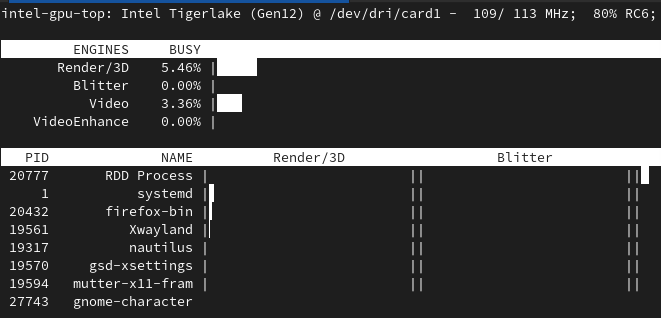
Linux/Firefox and Intel GPU acceleration
Instructions for Fedora 39
Packages to remove
- libswscale-free
Enable Free and Non-Free RPMFusion repositories
https://rpmfusion.org/Configuration
Packages to install
- ffmpeg-libs
- libva
- libvdpau
- openh264
- x264-libs
- x265-libs
- gstreamer1-plugins-ugly
- vlc
- gstreamer1-plugins-good-extras
- gstreamer1-plugin-openh264
Firefox Settings
Open Firefox Configuration
about:config
Create or modify the following parameters:
media.ffmpeg.vaapi.enabled = true
media.ffvpx.enabled = false
media.hardware-video-decoding.force-enabled = true
media.navigator.mediadatadecoder_vpx_enabled = false
Verify Video decoding support in Firefox
Make sure you play some video in the browser.
about:support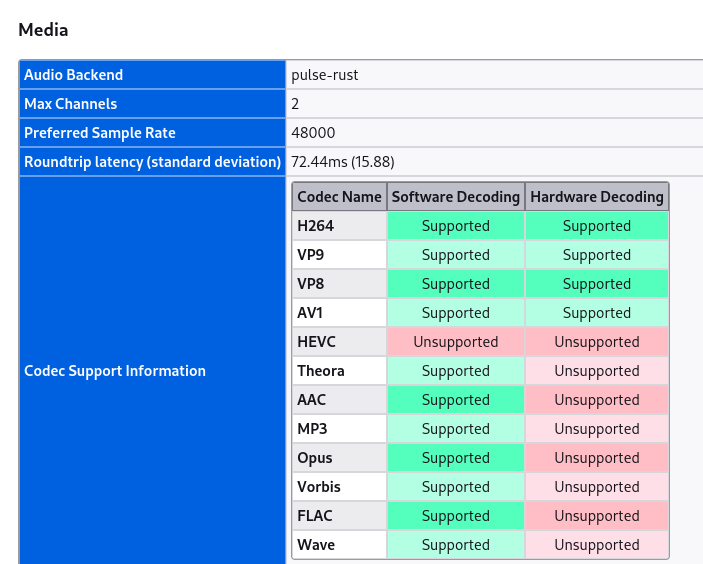
When running intel_gpu_top, watch for activity in Video row under ENGINES column.