Fedora KDE - Suspend Then Hibernate
Introduction
On a laptop system, in order to prevent unnecessary battery drain when device isn't used, take advantage of suspend, followed by hibernation to disk feature. On many Linux distributions this is provided as part of systemd-udev package.
The idea is simple:
- When closing lid or pressing power button I want the system to be suspended (RAM). On modern machine this is usually s2idle type of suspend.
cat /sys/power/mem_sleep- If the laptop isn't resumed within 3 hours, I want the system to wake up (rtcwake) and hibernate
- If the laptop is resumed before 3 hour timer is reached, the hibernation is cancelled.
Prerequisites
- Allocate sufficient amount of swap. On my laptop with 64GB of RAM I've allocated 66GB of swap space.
- Ensure resume kernel bootable option is present (e.g. resume=UUID=9db10738-3dbb-48c0-a06a-111ecee9cf29). This option references location of the block device (in this case filesystem UUID) used for swap.
- Verify if the laptop is able to properly suspend and stay suspended.
- Verify if the laptop is able to properly hibernate and then resume its state.
Use those commands to verify manually if suspend/hibernate functions work correctly.
systemctl start systemd-suspend.service
systemctl start systemd-hibernate.service
Implementation
Verify necessary package is installed
rpm -q systemd-udevCreate /etc/systemd/sleep.conf file with the following content. The 10800 is the number of seconds (3 hours).
[Sleep]
AllowSuspendThenHibernate=yes
HibernateDelaySec=10800
AllowSuspend=yes
AllowHibernation=yes
Inform systemd about new configuration.
systemctl daemon-reloadTest configuration. Reduce the amount of seconds to HibernateDelaySec=120 when testing. This way you will only have to wait 2 minutes to see if the laptop wakes up after specified period.
systemctl start systemd-suspend-then-hibernate.serviceDon't press any keyboard keys, and don't use trackpad for the next 2-3 minutes. Verify if laptop properly suspends and then wakes up automatically after HibernateDelaySec seconds.
KDE Plasma Configuration
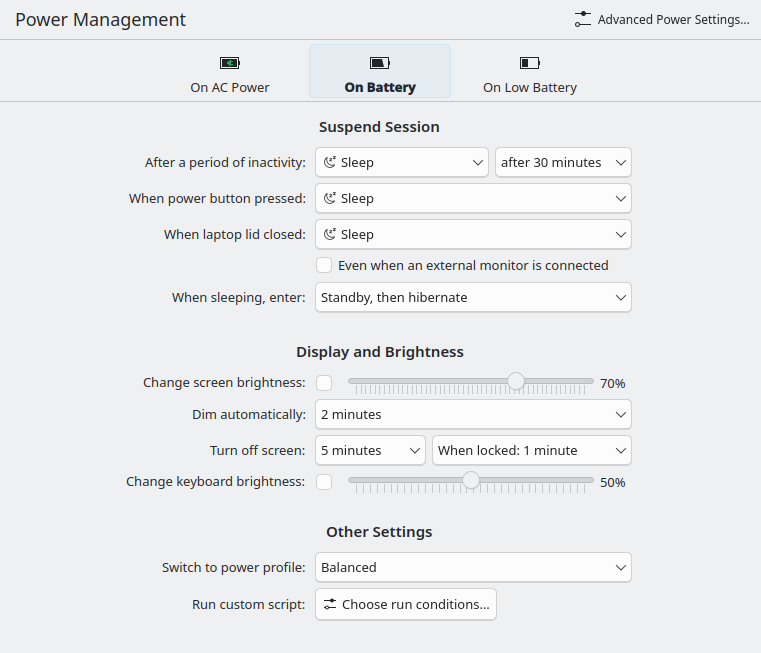
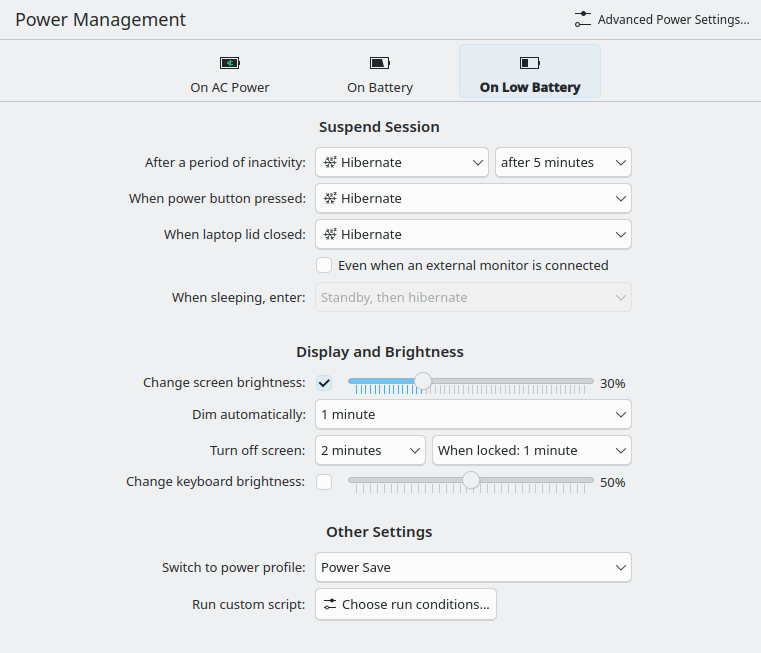
These are my power management settings in KDE
Key options: